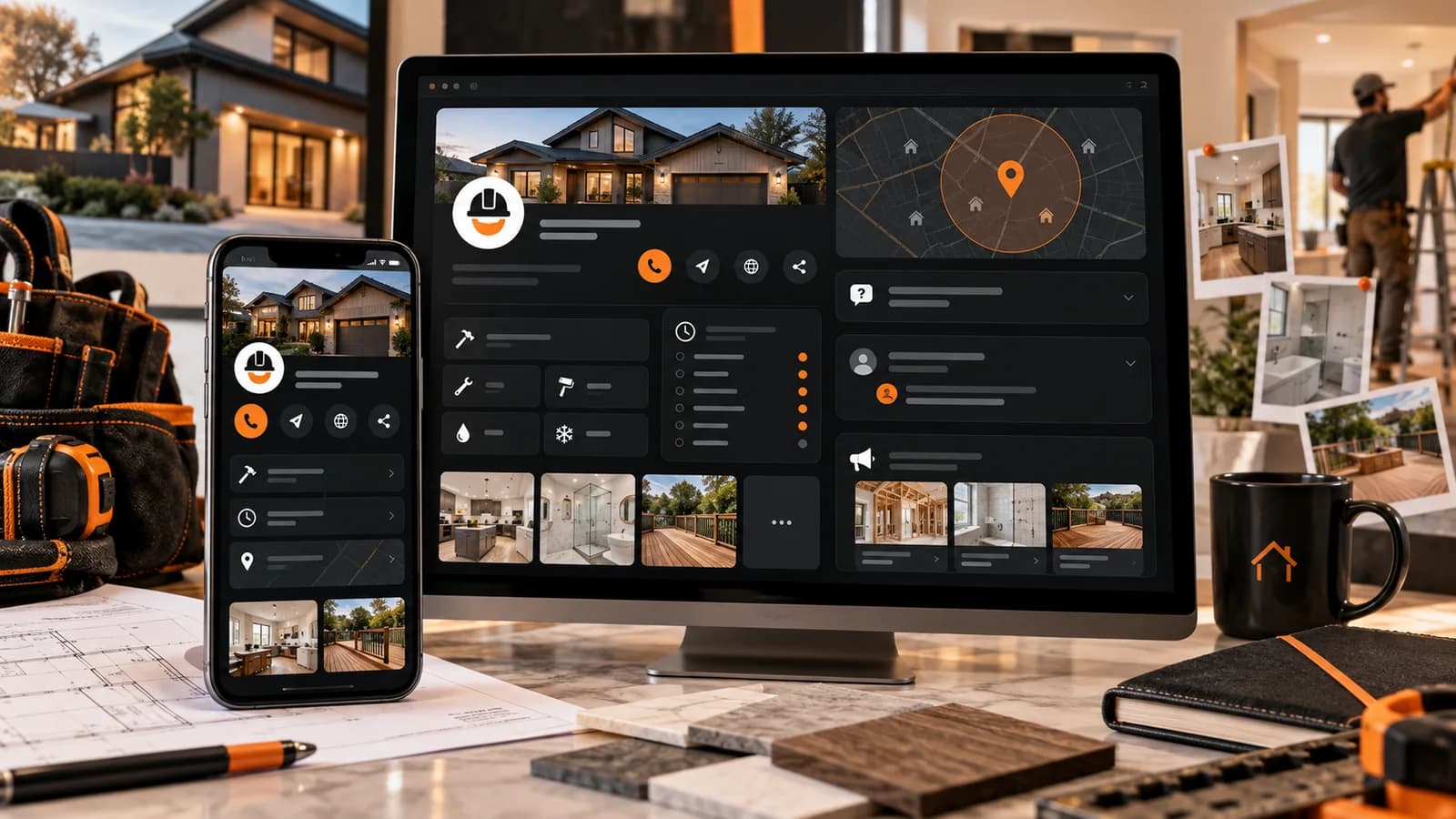
A Google Business Profile is one of the public surfaces a contractor can use to publish current business information, show authorized work and offer a contact path. Its contribution varies by market and customer journey, so compare profile interactions with qualified inquiries rather than assuming it outperforms every other channel.
For some local searches, Google may show map results with Business Profile information such as the business name, reviews, photos, hours and contact options. The layout and order vary by query, searcher location and device. Accurate profile information helps customers evaluate the business, but it does not guarantee map visibility, a call or a booked job.
- One specific primary category and only applicable additional categories
- Current hours, service area, contact details and authorized project photos
- Honest reviews answered and genuine customer questions monitored
- Useful information a customer can verify before contacting the business
- A vague or inaccurate category
- Old hours, unsupported claims or a contact route that is not monitored
- Customer feedback and factual corrections left unresolved
- Information that creates friction or policy risk for customers
How a Business Profile and website support local discovery
A Business Profile and website can both support customer discovery and contact. Review the actual account’s interactions and qualified inquiries before deciding which has greater value. Historic profile-completeness statistics are not a forecast for this contractor.
Keep the profile’s services, hours, coverage and contact information accurate. Use genuine photos and a reliable inquiry path. These are useful customer-facing improvements, not promised percentage increases in visits or calls.
Customers may use a Business Profile, website, advertisement, referral or several sources before contacting a contractor. Keep the profile useful for quick verification and keep the website useful for deeper evidence, service details and consent-aware inquiry paths. Measure both with consistent qualified-lead definitions.
The business owner can control profile accuracy, supported content and available contact routes. Google controls result layouts and local ordering, while customers decide whether to view or contact a business. Review each section for accuracy and customer usefulness without treating an edit as a promised ranking, click-through or conversion gain.
The three broad factors Google identifies for local results
Google says local results are primarily based on relevance, distance and prominence. Google does not publish exact weights, and the combination that determines an individual result can vary.
Relevance, distance and prominence are broad factors Google identifies for local results. Their exact weights are not public. Adding service areas or geotagged photos does not create a new physical presence or guarantee wider visibility.
- Relevance describes how well a Business Profile matches a search. Choose accurate categories and keep the profile's real services and information current.
- Distance considers how far each potential result is from the location term used in a search or from Google's estimate of the searcher's location. Service-area settings do not create extra physical locations or guaranteed coverage.
- Prominence reflects how well known a business is. Google says information such as links, articles, directories and review count and score can be considered, while exact weights and outcomes remain unpublished.
Step one: nail the fundamentals
Business name
Use the real-world business name used consistently on signage, stationery and customer-facing branding. Do not add service or location terms that are not part of that name. Google can edit a noncompliant name or restrict the profile, but an individual enforcement outcome is not predictable.
Address and service area
A storefront or hybrid business should show an eligible address when customers can visit during stated hours. A service-area business that visits customers and does not serve them at its address should hide the address and define accepted service areas. Use only locations that meet Google’s eligibility and staffing rules.
Define the cities, postal codes or other accepted areas the business actually serves. Google currently allows up to 20 service areas and advises that the overall boundary generally stay within about two hours of driving time from the base location. These settings describe coverage; they do not guarantee visibility in each area.
Phone number and website
Use a phone number controlled by the individual business location and keep it reachable. If call tracking is required, preserve an accurate owner-controlled number in the profile and document the configuration. A number format or area code does not create a confirmed local-ranking advantage.
Link to the authoritative website that represents the business and location. The destination should agree with the profile on identity, services, coverage and contact details. Choose a homepage or relevant service page based on customer usefulness and measurement design, without assuming one destination receives a ranking advantage.
Keep the website and Business Profile aligned on identity, services, evidence and contact routes, then measure qualified outcomes.
See how a contractor website should support your GBPStep two: choose accurate categories
Choose the most specific available primary category that represents the core business. Google says categories help connect a business with customers searching for its products or services, but it does not publish the weight of this field or guarantee visibility for a category.
- An available category that directly represents the core business
- Supported by the services and identity shown to customers
- Reviewed when the business scope changes
- A broad category chosen despite a more representative option
- Categories for services the business does not provide
- Extra categories added only to target more searches
After choosing the primary category, add only the additional categories needed to describe distinct services the business actually provides. The current editor supports one primary category and up to nine additional categories. Google advises using as few categories as possible and does not promise that an added category expands visibility.
Step three: write an accurate business description
Write a clear description of the actual business within the limits shown in the current profile editor. Avoid keyword stuffing or claims that engagement with the description has a known indirect ranking effect.
Use the description to explain what the business does, where it operates and what customers can verify. Include plain-language service terms where they help comprehension. Publish years in business, project counts, licenses, insurance, certifications or warranties only when current evidence supports each statement.
For a deck builder, describe the actual materials, project types, operating area, estimate process and credentials the business can document. Publish years in business, project counts, licenses, insurance and warranties only when current evidence supports each field. Write for the customer rather than repeating keywords.
Step four: photos that build trust and drive action
Use genuine project photos with permission and enough context to understand the work. They can help customers evaluate fit, but a historic image-engagement statistic does not establish a likely improvement for this profile.
Build a representative set of authorized photos as real work becomes available. The useful quantity depends on the services, season and evidence on hand. Cover several customer questions without inventing a minimum upload count:
Add useful new photos as real work becomes available. Google does not identify GPS metadata as a required ranking tactic or a way to verify every job location. Avoid exposing private customer locations unnecessarily.
Step five: use posts for timely customer information
Google Posts let a business publish updates, offers and events on its Business Profile. Use them for current customer information and an appropriate action button when available. Google does not state that publishing a post signals active management for ranking purposes.
Publish when there is a useful, supportable update: an authorized completed project, a seasonal service note, changed availability or a properly scoped offer. Google says posts older than six months are archived unless a date range is set. Choose a cadence the team can maintain rather than treating weekly posting as a ranking requirement.
Use an action button when it gives the customer a clear next step and the destination works. Describe the actual project, service or offer without keyword stuffing or absolute material claims. For example, a permitted project update can identify the service, broad market and documented design choices while keeping the customer and precise address private.
Step six: describe supported services and products
Use the services and other supported profile fields to describe what customers can actually buy. Available fields vary by category and account. Treat them as customer information rather than a documented keyword or ranking mechanism.
List distinct services when that structure helps customers understand the scope. Use the current names the business uses, describe exclusions where useful and avoid adding a service solely because someone might search for it. Each entry should remain supportable by the website, operations and inquiry handling.
Describe services accurately using the current editor’s supported fields and limits. Publish prices only when current and properly scoped. A generic price range or a fixed description length is not required for visibility.
Step seven: build an honest review process
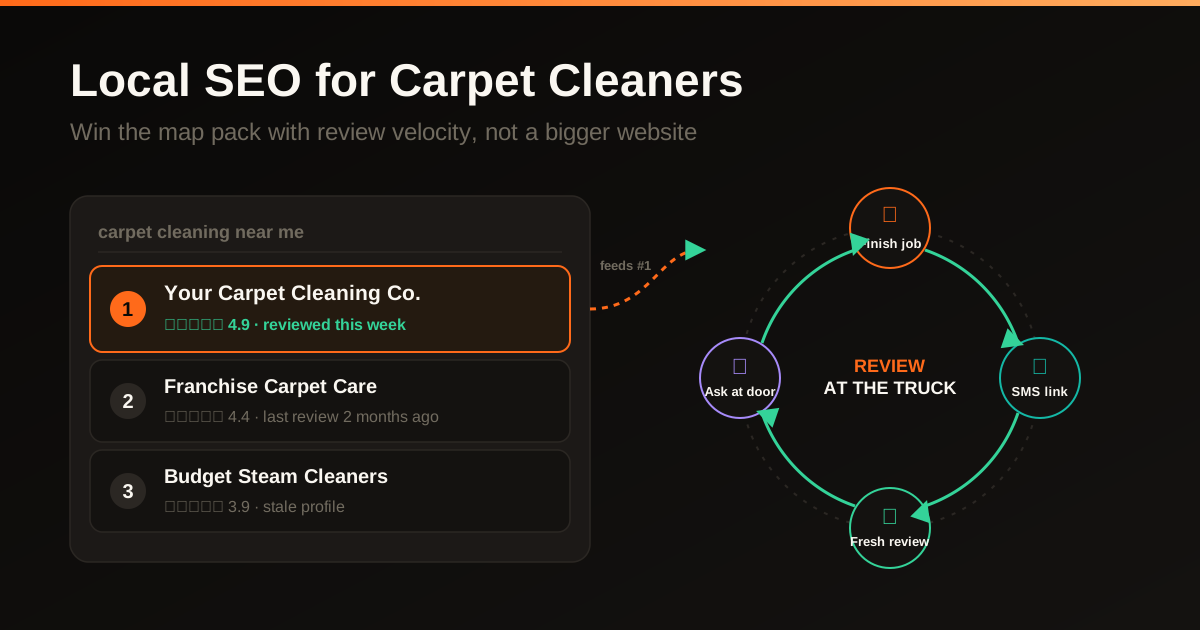
Reviews can help customers evaluate a contractor, and Google says review count and score are among the information that may contribute to local prominence. Google does not publish a hierarchy that makes reviews the second-largest factor or confirm exact effects for volume, recency or wording.
Invite honest feedback from all eligible customers using the same neutral process. Do not offer incentives, discourage negative feedback, request a particular rating or ask reviewers to include specific service or location terms. Record the request and response process without treating review language as a controllable ranking tactic.
Invite honest feedback from eligible customers, keep participation optional and measure the process without promising a rating or review count.
Read the contractor review process guideStep eight: monitor genuine customer questions
Customer questions and answers can be public where the feature is available. Monitor genuine questions, correct inaccurate information through supported account controls and answer with facts the business can document. Availability and management options can change by account and surface.
Build an internal answer bank from real inquiries so the team can respond consistently. Do not manufacture keyword-shaped questions or publish answers that assume licenses, insurance, timelines, permits, estimates or coverage that have not been verified for the business.
A clear answer can reduce customer uncertainty, but its placement, visibility and effect on contact behavior are not guaranteed. Keep answers current, identify material limitations and route customers to the authoritative website or contact path when the question requires a project-specific assessment.
Step nine: verify available attributes
Attributes vary by country, category and profile, and some can be based on customer input. Review the attributes currently available in the account and set only those that are factually supported. Recheck them when ownership, accessibility, service options or other business facts change.
Attributes can help customers understand relevant characteristics and may appear on Google surfaces. Do not select an identity, amenity or service attribute for targeting purposes, and do not assume a selected attribute guarantees prominent placement for a related search.
A sustainable Business Profile upkeep cycle
Maintain the profile when facts change, new evidence is available or customer feedback needs a response. Assign an owner, record material edits and choose a review interval that fits the business. A fixed weekly schedule or 30-minute routine is not a condition for map visibility.
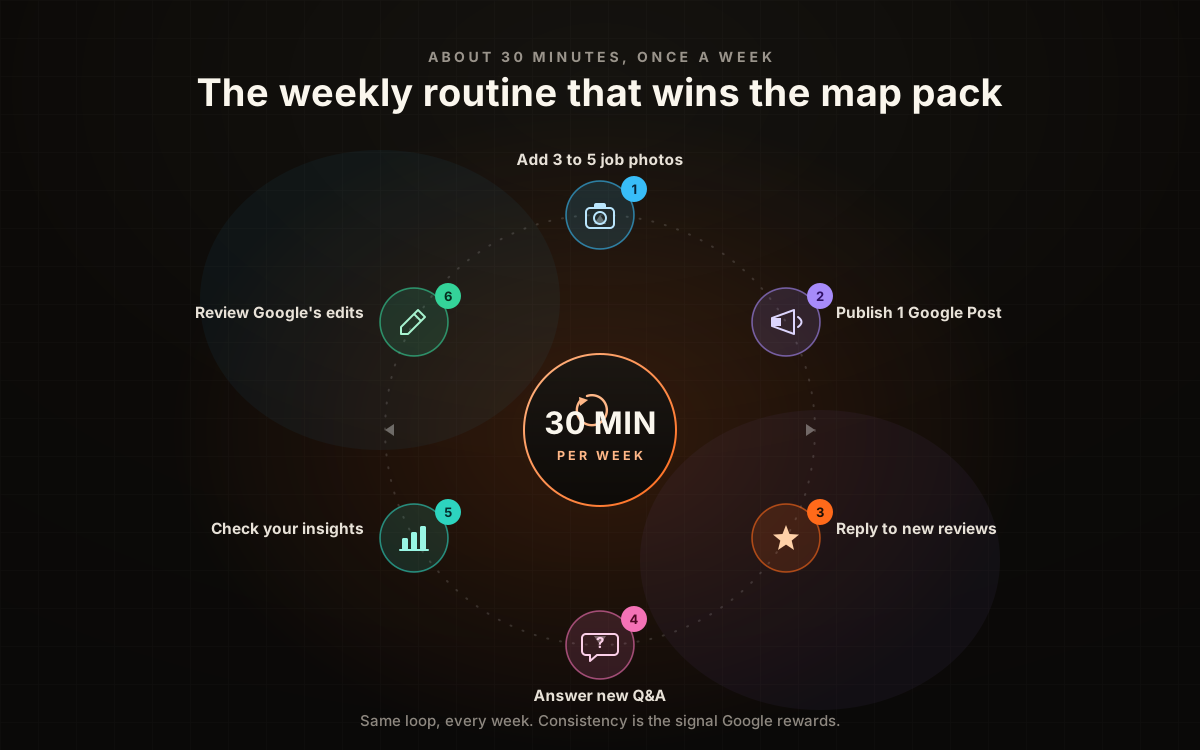
Review current services, hours, contact details and suggested edits. Add relevant work updates when useful, respond to customer feedback professionally and inspect available performance data. Use only profile features currently supported in the account; do not rely on a historic Q&A-seeding or messaging workflow.
Profile errors that create customer or policy risk
Check inaccurate categories, misleading business names, outdated contact details and incorrect hours. Use the real-world business name under Google’s guidelines. Add useful genuine service information and photos without claiming that every formatting difference, missing post or unanswered review creates a known ranking penalty.
How GBP optimization fits into the bigger local SEO picture
A Business Profile is one part of a local presence that can also include the business website, reputable third-party profiles, customer reviews, useful content and earned links. Keep each surface accurate and evaluate its role with dated observations and qualified inquiry data.
Create service or location pages only when they help customers and contain distinct, supportable information. Keep core identity and contact details consistent across controlled profiles, while respecting the format each platform requires. Relevant content and earned mentions can support discovery, but no directory set, keyword alignment or page count guarantees map placement.
GBP work can connect with technical SEO, useful local pages, customer evidence and attribution. Review how the pieces are planned and measured.
See the full contractor SEO systemWhen to hire a pro vs. doing it yourself
A contractor can maintain most profile fields directly. Review changes in the context of dated search observations and qualified inquiries. Timing and visibility vary by market, query, searcher location, competition and platform processing.
- The owner has account access and can document each change
- The service scope and location structure are straightforward
- The team can keep hours, services, evidence and responses current
- Several locations or teams need governance and change records
- Website, profile and qualified-lead measurement need coordination
- The engagement has a documented scope, access plan and acceptance checks
Professional support can coordinate the website, profile, useful content and reporting. Assess its value against the agreed scope and actual qualified inquiries. It does not automatically pay for itself or guarantee coverage in every ZIP code.
Review profile accuracy, supported services, visible competitors and the customer contact path, then prioritize the most useful corrections.
Book a free profile reviewFrequently asked questions
How long does it take for GBP changes to show up in rankings?
Profile edits can require platform review and local visibility can change at different times. Record the edit date, use the same agreed searches and locations for comparison, and connect observations to calls or forms. A short-term movement does not establish a permanent ranking effect.
Can I have multiple Google Business Profiles for the same business?
Separate profiles may be eligible for separately staffed locations that meet Google’s representation rules. Do not create duplicates for service areas, individual services or ineligible departments. Review the current rules and factual operating model before adding a location; Google may merge, edit or restrict noncompliant profiles.
Should I use a PO box or virtual office for my GBP address?
Do not use a PO box or an unstaffed virtual office as the profile address. A home-based service-area business that does not receive customers at its address should hide the address and define the areas it serves. This can satisfy the address-display rule, but it does not guarantee map visibility.
Do Google Posts actually help rankings?
Google does not confirm a direct local-ranking benefit from a weekly post schedule. Use posts for accurate customer communication and review their available engagement data. Do not label an assumed activity mechanism or an undocumented client correlation as a proven ranking factor.
Operating principle
A Google Business Profile helps local customers verify a contractor, view current information and choose a contact path. Maintain it as an operating record with accurate services, hours, coverage, photographs and customer feedback.
Start with eligibility and identity, then confirm categories, services, hours, contact routes, photographs, reviews, questions and attributes. Review the live result on a schedule the business can maintain, and judge the work by accurate customer information plus qualified outcomes.
SF Web Tech can review profile eligibility, accuracy, customer evidence, contact flow and the surrounding website and measurement setup. A discovery call can define the business facts, account access, risks and prioritized scope before any profile changes are proposed.
Review profile eligibility, accuracy, evidence, contact flow and a prioritized upkeep plan.
Book a free discovery callSources and further reading
- Google Business Profile: Guidelines for representing your business on Google
Real-world business names, accurate identity and contact information, category selection, eligible addresses, service-area businesses and multiple-location rules.
Source checked .
- Google Business Profile: Manage your service areas
Accepted service-area formats, the current limit of 20 areas and Google’s general two-hour driving-time guidance.
Source checked .
- Google Business Profile: Tips to improve your local ranking
Google’s broad relevance, distance and prominence factors. Exact weights and guaranteed coverage are not stated.
Source checked .
- Google Maps: Prohibited and restricted content
Rules against incentivized reviews, review gating, pressure and requests for specific review content.
Source checked .
- Google Business Profile: Create and manage posts
Supported post types and action buttons, and the archive behavior for posts older than six months without a date range.
Source checked .
- Google Business Profile: Manage profile attributes
Attribute availability by category and location, including attributes that may come from customer input.
Source checked .
- Google Business Profile: Edit your Business Profile
Current profile-field guidance, including a specific primary category, up to nine additional categories and a 750-character description.
Source checked .
- Google Search: SEO Starter Guide
Helpful content organization, crawlable links and descriptive page information. Contractor examples remain SF Web Tech recommendations.
Source checked .